

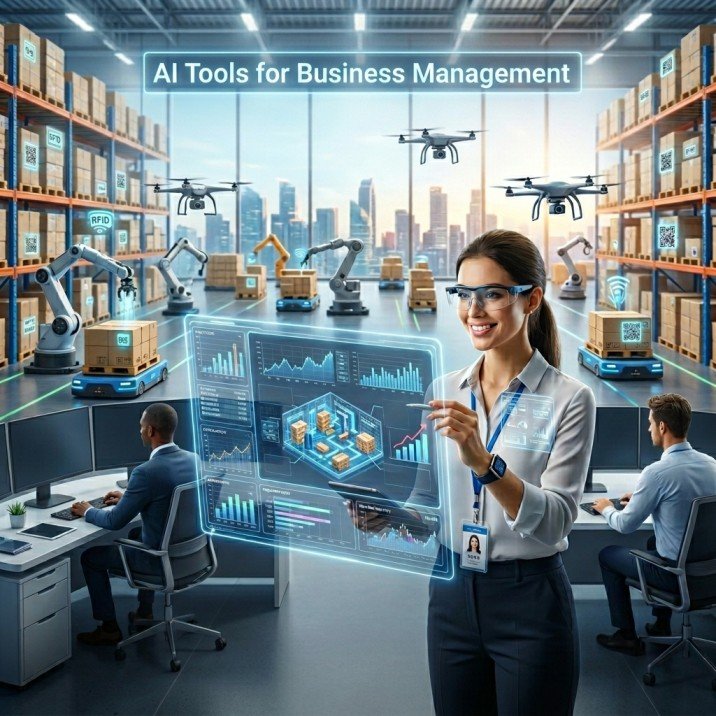
The biggest mistake business owners make with inventory is thinking it is only about counting stock. In 2026, inventory is cash, customer trust, and operational speed all at once. That is why the right AI Tool & Prompts setup matters so much: it helps you predict demand, catch stock problems early, and make decisions before a small issue turns into a profit leak. IBM describes AI inventory management as using AI to optimize and automate inventory, including demand forecasting, supplier management, and replenishment, while AI also improves accuracy, cost savings, and customer satisfaction.
Here is the real shift for 2026: the winners are not just the businesses that “use AI.” They are the ones that redesign workflows around it. McKinsey’s 2025 survey says meaningful enterprise-wide bottom-line impact from AI is still rare, and its 2026 organizations research says most companies are experimenting with AI but many are not yet seeing meaningful gains. The message is clear: tools alone are not enough; process change is where the value appears.
Why AI matters more now than ever
Traditional inventory systems answer one question: “What do I have?”
Modern AI systems answer the better questions: “What will I need next week, which supplier is late, what should I reorder today, and which product is quietly tying up cash?”
That matters because inventory management is about having the right products in the right place at the right time. IBM notes that good inventory management reduces stockouts, oversells, and markdowns, while AI adds predictive analytics, real-time visibility, anomaly detection, scenario simulation, and automated replenishment. McKinsey also reports that AI can reduce inventory levels by 20% to 30% in distribution settings by improving forecasting and optimizing inventory decisions.
A practical takeaway: do not use AI only for reporting. Use it for exceptions. The highest-value use cases are usually the messy ones—late deliveries, fast-moving SKUs, seasonal spikes, supplier delays, and reorder confusion.
Best AI tools for inventory & business management in 2026
| Tool | Best for | What stands out in 2026 | Notes |
|---|---|---|---|
| Microsoft Dynamics 365 Supply Chain | Mid-size to enterprise operations | Real-time inventory visibility, agent-ready workflows, and supplier communication automation. Microsoft’s Inventory Visibility Add-in supports real-time on-hand change postings across data sources and channels. | Strong for multi-step supply chain operations |
| Oracle NetSuite | Businesses that want ERP + inventory in one place | NetSuite’s inventory docs highlight Smart Count, Item 360 Dashboard, Auto Assign UPC, and inventory reporting, while the system also tracks real-time costs, quantities, and asset values. | Best when finance and inventory must stay tightly connected |
| Zoho Inventory | SMBs and eCommerce brands | Recent updates include Zia-powered features, replenishment tasks for low stock, barcode scanning, and expanded reports. | Very practical for lean teams |
| SAP Business AI | Larger firms with complex business processes | SAP positions its AI as grounded in business data, embedded across functions, and designed for supply chain, finance, and procurement workflows. | Best when you need enterprise-wide coordination |
What each tool is really good at
Microsoft Dynamics 365: best for connected, agent-ready operations
Microsoft’s current direction is clear: inventory should not sit in a separate silo. Its 2026 content frames inventory-to-deliver as a process spanning procurement, production, fulfillment, and customer satisfaction. The platform also emphasizes agent-based automation, including supplier communication and workflow support, which makes it especially strong for companies that want AI to do more than generate dashboards.
Oracle NetSuite: best for business owners who want one system
NetSuite is a strong fit when you want inventory, reporting, and finance to speak the same language. Its inventory documentation includes Smart Count and Item 360 Dashboard, and its core inventory management overview emphasizes real-time costs, quantities, and asset values. That makes it useful for owners who want stock decisions tied directly to margin and cash flow.
Zoho Inventory: best for fast-moving small teams
Zoho’s recent updates are very practical: replenishment tasks can automate restocking based on reorder level, max stock, and schedules; barcode scanning speeds up stock counts and item handling; and Zia features add AI assistance into the workflow. For small and medium businesses, that combination is valuable because it reduces manual work without forcing a heavyweight ERP rollout.
SAP Business AI: best for complex enterprise workflows
SAP’s AI is built around business context, unified experience, and cross-functional execution. SAP says its AI is grounded in business data and embedded into business functions, with supply chain as one of the core value areas. That makes it a strong choice for companies where inventory planning, procurement, and finance must stay tightly aligned.
The key insight most teams miss
The best inventory system is not the one with the most features. It is the one that changes decisions fastest.
Here is the pattern I see working most often:
1. Use AI for forecast confidence, not just charts.
If your team still guesses reorders from yesterday’s sales, AI will not save you. Use it to spot trends, seasonality, and exceptions. IBM specifically calls out demand forecasting, supplier management, scenario simulation, and replenishment as core AI use cases.
2. Put AI closest to action.
A forecast sitting in a report is not value. A forecast that triggers a replenishment task, vendor message, or transfer order is value. Zoho’s replenishment workflow and Microsoft’s supplier communication automation both point in this direction.
3. Pair tools with prompts.
OpenAI’s prompt engineering guidance emphasizes reusable prompts, few-shot examples, and explicit output contracts. Its GPT-5.4 guidance adds that structured outputs, completion criteria, and clear tool-use expectations improve reliability in long-running workflows. In plain English: prompts are how you turn a general AI into a business assistant.
Practical prompt templates for inventory & business management
These are simple, copy-ready prompt ideas you can use inside ChatGPT, a connected assistant, or an internal workflow.
1. Low-stock alert summary
“Review this inventory list and identify SKUs that need reorder action within 7 days. Return a table with SKU, current stock, estimated days left, and recommended action.”
2. Purchase order draft
“Using the stock data below, draft a purchase order recommendation for the top 10 items at risk of stockout. Prioritize items with the highest sales velocity.”
3. Weekly inventory review
“Summarize this week’s inventory changes. Highlight slow movers, fast movers, stockouts, and items that should be transferred between locations.”
4. Supplier follow-up email
“Write a professional supplier follow-up email for delayed shipment PO-1048. Keep it firm, polite, and under 120 words.”
5. Business dashboard explanation
“Explain this inventory and sales dashboard to a store owner in simple language. Focus on profit risk, cash trapped in stock, and urgent actions.”
Suggested visuals for the blog
A comparison table like the one above will already improve readability. Add one simple infographic showing the workflow: Sales data → AI forecast → reorder suggestion → purchase order → updated stock. That single visual can make the whole article easier to remember.
Conclusion
In 2026, the smartest businesses are not treating inventory as a back-office task. They are treating it as a live decision system. The strongest AI tools help with visibility, forecasting, replenishment, and workflow automation, but the real advantage comes when you combine them with strong prompts and a clear operating process. That is how AI becomes more than software—it becomes a manager’s shortcut to faster, cleaner decisions.
CTA: Pick one process in your business—reordering, reporting, supplier follow-up, or stock review—and automate it first. Then test a simple AI prompt on that workflow and compare the result with your manual method.
Also Read: AI Tools for Customer Support: The Automation 2026


Guter Beitrag! Claude Tokenizer unter passt gut zu diesem Thema. Claude Tokenizer
Well explained and practical. I’ve had good results with Van Gogh Free AI Video Generator () for cinematic clips.. Van Gogh Free AI Video Generator
Interesante. Vídeo IA: Pixwit . Pixwit
Really helpful post. If you need text-to-video with native audio, check out MiniMax H3 Video Generator at /. MiniMax H3 Video Generator