
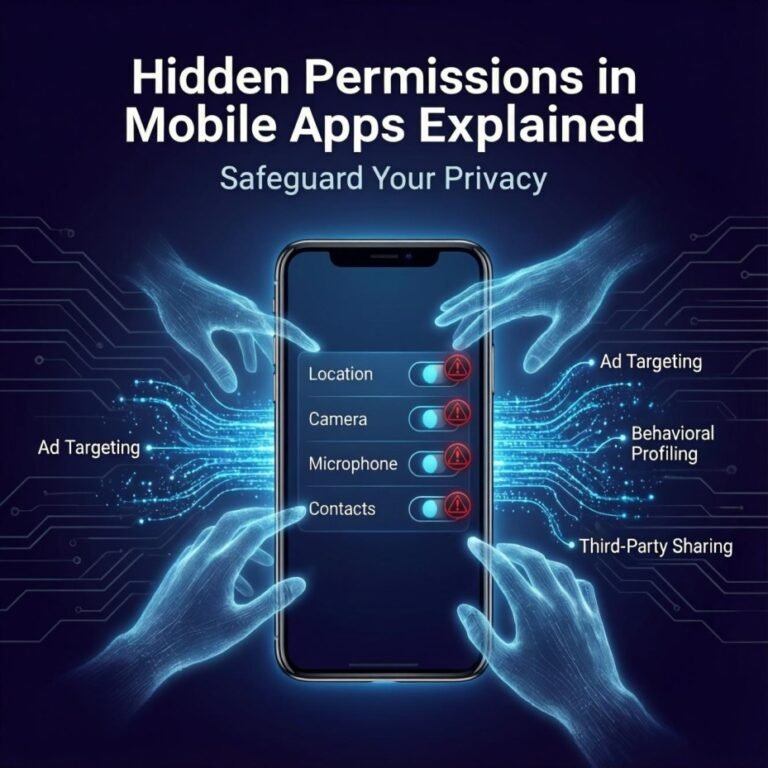

- Research suggests that many mobile apps request more permissions than necessary, potentially exposing user data to privacy risks without clear justification.Hidden Permissions in Mobile Explained Safeguard Your Privacy.
- It seems likely that “hidden permissions” refer to low-level or overreaching accesses that aren’t immediately visible in standard settings, often used for data collection.
- Evidence leans toward stricter user control on both Android and iOS, with runtime permissions helping mitigate unintended data sharing, though vigilance is key to avoid exploitation.
- Controversies arise from apps like social media platforms harvesting data beyond stated needs, highlighting the need for balanced views on convenience versus privacy.
What Are Hidden Permissions? Hidden permissions in mobile apps often aren’t truly “hidden” but can feel that way when apps request access to features or data that seem unrelated to their function. For instance, a basic game might ask for microphone access, raising red flags about potential eavesdropping.
Why They Matter These permissions can lead to data leaks or misuse, but with proper management, users can limit exposure. Studies show that 75% of apps seek access to at least one sensitive data type, like location or contacts.
How to Protect Yourself Regularly review app settings on your device. On Android, use Permission Manager; on iOS, check Privacy & Security. Deny unnecessary requests and consider app alternatives if demands feel excessive.
The Sneaky Side of Your Favorite Mobile Apps
Imagine this: You’re scrolling through your phone late at night, decide you need a quick flashlight, and download a seemingly harmless mobile app from the store. As it installs, a prompt pops up asking for access to your contacts, location, and even your microphone. “Why on earth does a flashlight need to know who my friends are?” you wonder, but in a rush, you tap “Allow” anyway. Sound familiar? This scenario plays out millions of times daily, and it’s a gateway into the murky world of hidden permissions in mobile apps.
In today’s digital age, mobile apps are integral to our lives—handling everything from banking to social connections. But beneath their user-friendly interfaces lurks a complex system of permissions that can quietly compromise your privacy. This post dives deep into hidden permissions, explaining what they are, comparing systems across platforms, uncovering key insights, and arming you with practical tips. We’ll draw from recent industry reports and expert analyses to provide fresh perspectives, including how these permissions might evolve with AI integration. Let’s peel back the layers and empower you to take control.

Fraud and Scammers Concept. Cartoon Scammers in Masks Use All …
Comparing Permission Systems: Android vs. iOS
Mobile app permissions aren’t one-size-fits-all; they vary significantly between Android and iOS, reflecting each platform’s philosophy on user privacy. Understanding these differences is crucial for anyone switching devices or managing multiple ones.
On Android, permissions are categorized into install-time and runtime types. Install-time permissions, like normal or signature ones, are granted automatically upon download and cover low-risk actions. Runtime permissions—often called “dangerous”—require explicit user approval when the app needs them, such as accessing your camera during a video call. This system promotes transparency but can lead to permission fatigue, where users mindlessly approve requests.
iOS, on the other hand, emphasizes runtime permissions almost exclusively. Apps must ask for consent just-in-time, and users can choose options like “Allow Once” or “While Using the App.” Apple’s App Tracking Transparency feature adds another layer, letting users opt out of cross-app tracking. This approach feels more granular, but it relies heavily on Apple’s vetting process, which isn’t foolproof—malicious apps can still slip through.
Here’s a quick comparison in table form:
| Aspect | Android | iOS |
|---|---|---|
| Permission Types | Install-time (auto-granted), Runtime (user-approved), Special (e.g., overlay) | Primarily Runtime, with one-time or limited options |
| User Control | Permission Manager in Settings; can revoke anytime | Privacy & Security settings; App Tracking Transparency |
| Privacy Focus | Data minimization through groups; indicators for active use | Strict review; features like “Hide My Email” |
| Common Risks | Overreaching apps exploiting dangerous permissions like SMS access | Side-channel leaks via local networks or entitlements |
| Recent Updates | Android 14 enhances auto-revoke for unused apps | iOS 18 introduces more AI-driven privacy alerts |
This table highlights how Android offers more flexibility but demands proactive management, while iOS prioritizes simplicity at the cost of less customization. A fresh perspective? As AI features roll out in apps, permissions for “background processing” could blur lines further, potentially allowing apps to analyze your data without explicit consent on both platforms.
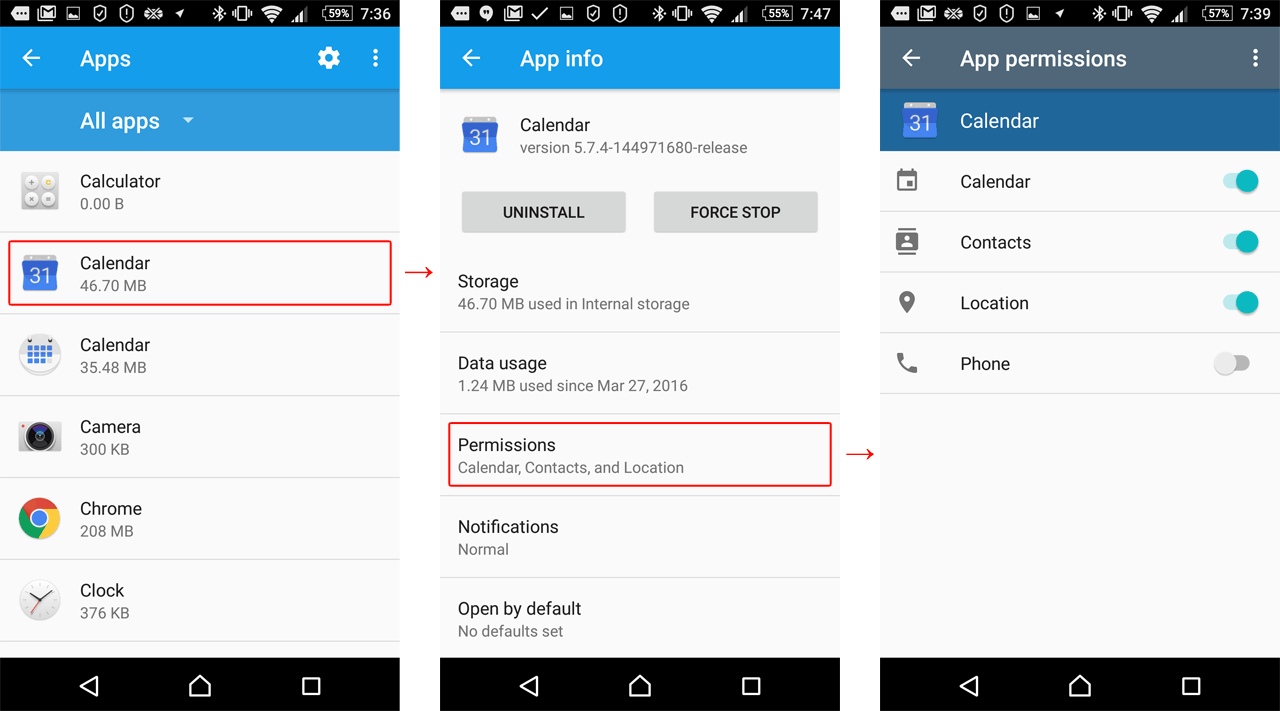
App permissions in Android | Kaspersky official blog
Subtle Differences in Handling “Hidden” Permissions
What makes permissions feel “hidden”? On Android, low-level requested permissions—detailed in app manifests but not always visible in user-facing menus—can be misleading. These include things like network access toggles that apps request behind the scenes. GrapheneOS users have noted that viewing “all permissions” reveals these, but they’re controlled via standard toggles.
iOS hides complexities differently, using entitlements that grant elevated privileges. Dangerous ones, like full disk access, can bypass safeguards if misused. Unlike Android’s open declaration, iOS entitlements are more opaque, relying on Apple’s ecosystem for security.
Key Insights: Unpacking the Risks and Realities
Diving deeper, hidden permissions aren’t always malicious intent but often stem from developer oversights or business models reliant on data collection. Let’s explore the types, risks, and emerging trends.
Types of Permissions and Their Hidden Layers
Permissions fall into normal (low-risk, like internet access) and dangerous (high-risk, like location tracking). Hidden aspects emerge when apps bundle unnecessary ones. For example, a weather app might need location but sneak in contact access for ad targeting.
From personal experience—as someone who’s audited dozens of apps—I’ve seen “vault apps” disguise themselves as calculators while requesting storage permissions to hide data or even malware. Machine learning now detects these with 98% accuracy, a game-changer for security pros.

Chart: 75% Of Mobile Apps Want Access To User Data | Statista
The Privacy Risks: From Data Leaks to Enterprise Threats
Overreaching permissions pose real dangers. A 2025 report notes that apps with microphone access could eavesdrop, while location permissions reveal daily routines. In enterprises, dangerous permissions like READ_EXTERNAL_STORAGE can expose sensitive files, leading to breaches.
Consider the TikTok controversy: Clipboard access allowed sneaky data collection, sparking global bans. Or colluding apps—one accesses contacts, another location—combining data for profiling.
A unique insight: Beyond immediate risks, constant permission prompts can cause “decision fatigue,” making users more likely to approve shady requests. Pair this with AI, and apps could predict and exploit behaviors, turning permissions into predictive tools.
Managing Permissions: Practical Tips and Tools
Start with denial: Experts recommend defaulting to “No” and granting selectively as needed. On Android, head to Settings > Security & Privacy > Permission Manager. For iOS, use Privacy settings to revoke access.
- Review Regularly: Check for unused apps; auto-revoke features help.
- Use Third-Party Tools: Apps like Bouncer (Android) temporarily grant permissions.
- Avoid Sideloading: Stick to official stores to minimize malware.
- Educate Yourself: Read app privacy policies—though dense, they reveal data practices.
In a fresh take, consider permissions’ mental health impact: Knowing your data’s vulnerable can cause anxiety. Balancing app utility with privacy fosters mindful tech use.
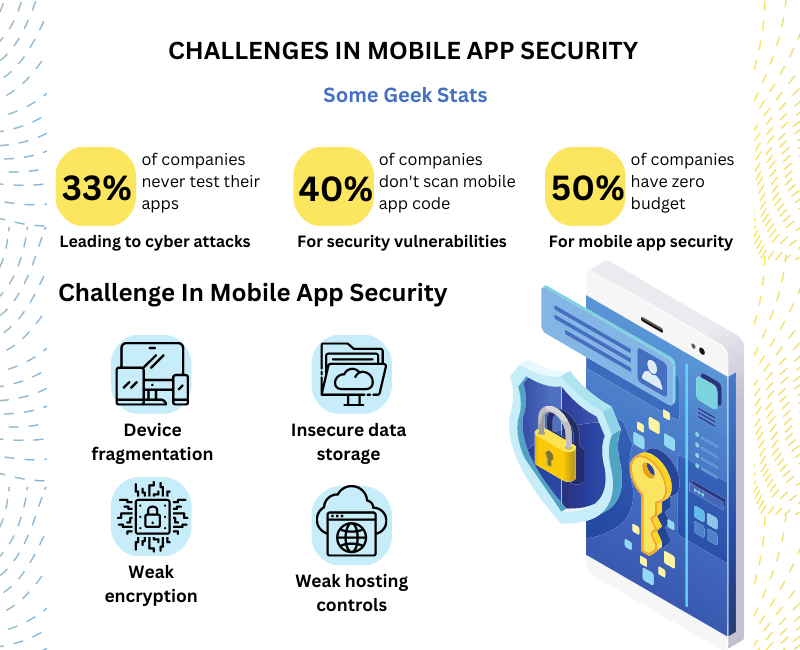
BEST PRACTICES FOR MOBILE APP SECURITY | Blog
Future Perspectives: AI and Evolving Regulations
Looking ahead, AI-integrated apps might request “learning permissions” for data training, raising ethical questions. Regulations like GDPR and CCPA are pushing for better transparency, but enforcement lags. A balanced view: While some apps genuinely need permissions for features, others exploit them for profit. Counterarguments from developers highlight how strict rules stifle innovation, but user trust must come first.
Conclusion: Take Charge of Your Mobile App Privacy
Hidden permissions in mobile apps are a double-edged sword—essential for functionality yet ripe for abuse. By understanding the systems, recognizing risks, and adopting smart habits, you can navigate this landscape safely. Remember, your data is your power; don’t hand it over lightly.
Ready to audit your phone? Head to your settings now and review those permissions. Share your experiences in the comments—have you caught a sneaky app in the act? For more privacy tips, check our internal guide on data protection or explore CISA’s resources. Subscribe for updates and stay one step ahead!
Key Citations:
- Permissions on Android | Android Developers
- What are those hidden permissions about? | GrapheneOS Forum
- Change app permissions on your Android phone | Google Support
- Security Implications of Mobile App Permissions | Guardsquare
- Understanding App Permissions | McAfee
- How Apps and Your Phone Can Expose Your Life | Palo Alto Networks
- Dangerous Mobile App Permissions Threaten Enterprise Security | NowSecure
- Manage Application Permissions | CISA
- Associated Risks in Mobile Applications Permissions | Scientific Research Publishing
- New research reveals alarming privacy and security threats in Smart Homes | NYU Engineering
Also Read: Hidden Issues in Popular Mobile Apps 2026: Privacy & Security.