


Can Mobile Apps Read Your Messages? The Privacy Risks You Can’t Ignore
Imagine this: You’re logging into your banking app on your phone. A text message arrives with a one-time password (OTP). Before you even swipe to read it, the app autofills the code. Convenient? Absolutely. But it raises a chilling question — is that mobile app quietly reading all your messages?
In an era where we trust dozens of apps with our most personal data, this isn’t paranoia. It’s a legitimate concern. From banking and shopping apps to random utilities, many mobile apps request access to your SMS and messages. Some do it for good reasons. Others? Not so much.
Today, we’re diving deep into whether mobile apps can truly read your messages, how it works differently on Android versus iOS, the real-world dangers, and — most importantly — how to take back control. This isn’t generic advice you’ve heard a hundred times. We’ll explore fresh angles like the rise of AI-driven message scanning and why even “trusted” apps can cross privacy lines.

Phone security for Android and iPhone: The 2026 protection playbook
How Mobile Apps Technically Access Your Messages
At its core, message access comes down to permissions — the digital keys your operating system hands out (or withholds).
On Android, apps can request the READ_SMS and RECEIVE_SMS permissions. These are classified as “dangerous” runtime permissions because they grant broad access to all your text messages, including sensitive ones like banking alerts, two-factor codes, and personal conversations. Once granted, an app can scan, read, or even delete messages in the background.
Google groups related SMS permissions so users face fewer prompts, but the scope remains wide. Many legitimate apps (especially in regions where SMS is the primary 2FA method) still request full read access instead of using privacy-friendlier alternatives like the SMS Retriever API, which only grabs specific one-time codes without exposing your entire inbox.
iOS takes a radically different approach. Apple’s strict sandboxing means third-party apps generally cannot read your SMS or iMessage inbox directly. There’s no equivalent to Android’s READ_SMS. Apps can prompt you to send messages or use Apple’s autofill feature for verification codes pulled from Messages, but they don’t get unfettered access to your full message history.
This fundamental difference makes iOS far more restrictive — and, for most users, significantly more private when it comes to SMS.
Android vs iOS: A Side-by-Side Privacy Showdown
The platform you choose dramatically shapes your exposure. Here’s a clear comparison:
| Aspect | Android | iOS |
|---|---|---|
| SMS Reading by Third-Party Apps | Possible with user-granted READ_SMS permission | Not allowed for standard third-party apps |
| Default Behavior | Apps must request permission at runtime | Sandboxed; limited to autofill features |
| OTP Handling | Full inbox access common in many banking apps | Autofill without granting full access |
| Risk Level | Higher due to open ecosystem and sideloading | Lower, thanks to strict App Store review |
| User Control | Permission manager + auto-revoke for unused apps | Privacy & Security settings + App Privacy Report |
| Recent Evolution | Tighter controls in Android 13+ but legacy apps persist | RCS support in iOS 18+ improves features, E2EE still platform-limited |
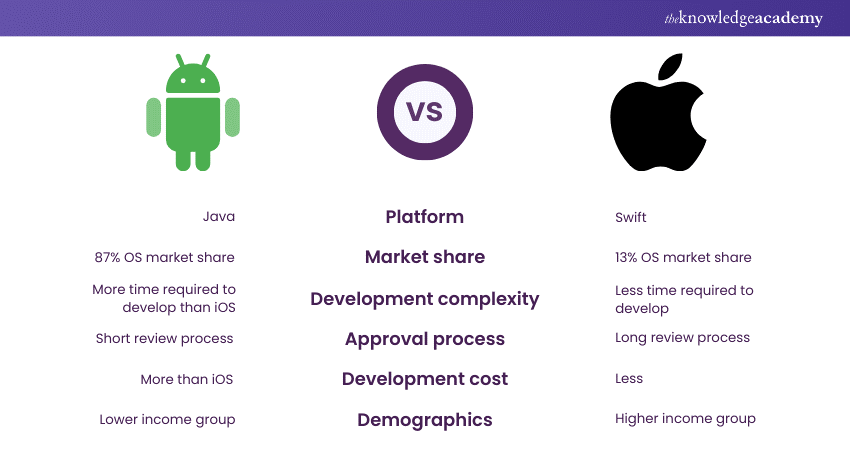
Android vs iOS: Comparing Features, Security, and App Development
Android’s flexibility empowers users and developers but creates more opportunities for abuse. iOS prioritizes protection, sometimes at the cost of convenience (like seamless cross-platform RCS features that took years to arrive).
Legitimate Uses vs. Creepy Overreach
Not every permission request is malicious. Banking apps in many countries rely on SMS for verification because it’s universal. Ride-sharing or delivery apps might scan messages to auto-detect promo codes or delivery updates.
But here’s a fresh perspective I’ve observed from analyzing countless user reports and app behaviors: Many apps request full SMS access when narrower tools would suffice. Android’s SMS Retriever API or iOS’s intelligent autofill can handle OTPs without exposing everything. When a flashlight app or casual game asks for message access, that’s not convenience — that’s a red flag.
AI is adding a new layer. Some productivity or “smart assistant” mobile apps now promise to analyze your messages for context-aware replies or scheduling. While helpful, this means your personal conversations could be processed on-device or (worse) sent to cloud servers. Always check whether the app processes data locally or uploads it.
Real-World Risks: From Malware to Major Scandals
The dangers aren’t theoretical. Android malware like Joker has historically abused SMS permissions to silently subscribe victims to premium services by intercepting confirmation codes.
More recently, data leaks have exposed millions of private conversations. In early 2026, a popular AI chat app suffered a massive breach due to a misconfigured database, exposing hundreds of millions of user messages.
Even big players face scrutiny. A 2026 lawsuit alleged that Meta could access WhatsApp messages despite end-to-end encryption claims — something the company strongly denied, but the case highlights how backend access and metadata can undermine perceived privacy.
On iOS, while direct SMS reading is blocked, broader ecosystem risks remain — from phishing links in messages to apps that encourage users to forward sensitive texts.
The bottom line? Your messages often contain financial details, health info, relationship drama, and location hints. When a mobile app can read them, it gains a powerful profile of your life that can be monetized, hacked, or misused.
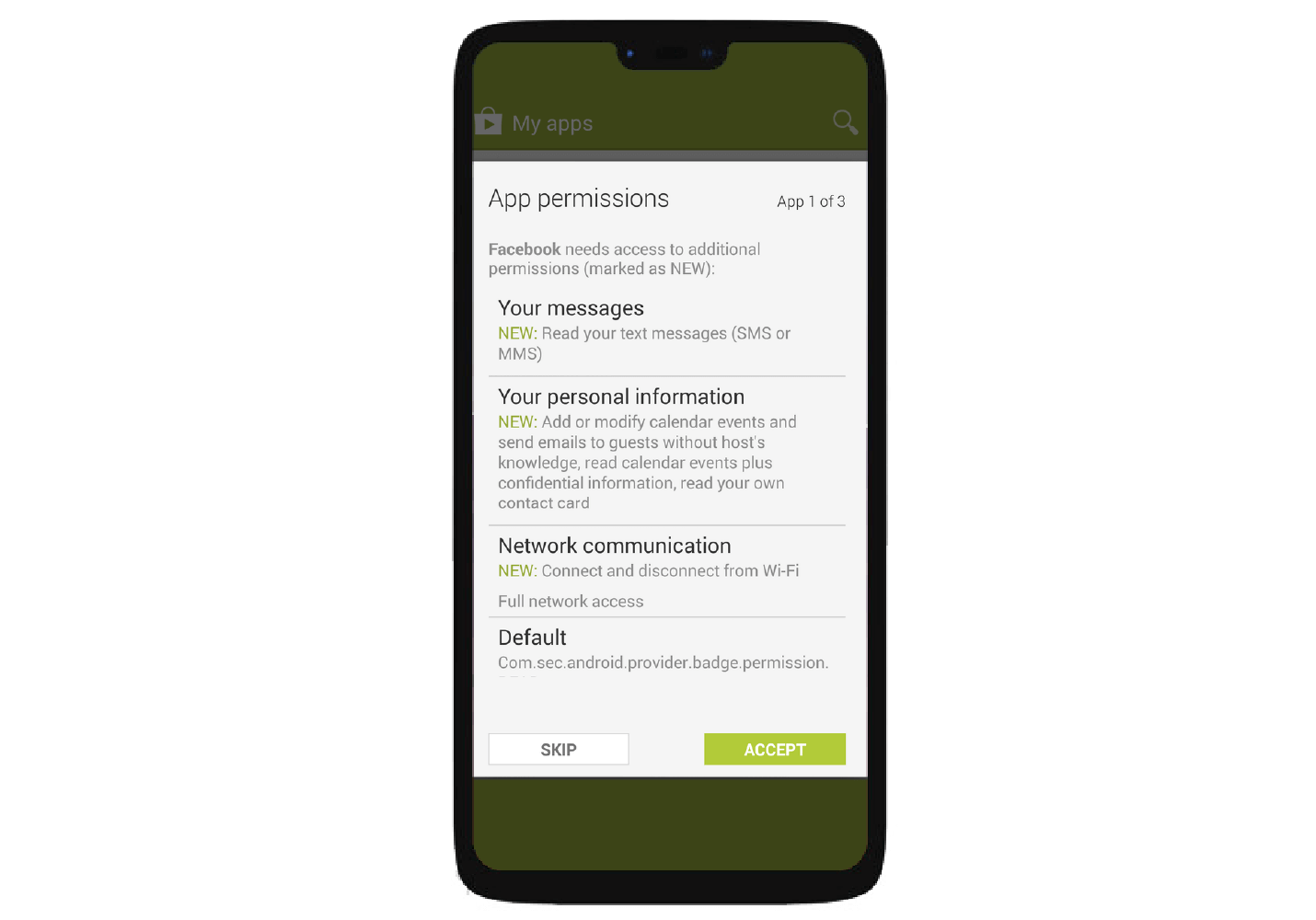
Mastering Android Permissions – CleverTap
How to Check and Revoke Message Permissions Today
Don’t wait. Auditing permissions takes just minutes and can dramatically improve your privacy.
On Android:
- Go to Settings > Apps (or Security & Privacy > Permission manager on many devices).
- Tap SMS or Messages.
- Review which apps have access. Revoke anything suspicious.
- Enable auto-reset for unused apps (Android 11+) so permissions expire automatically.
On iOS:
- Go to Settings > Privacy & Security.
- While direct SMS access is rare, review related categories like Contacts, Photos, and check the App Privacy Report to see network activity and data access patterns.
- For Messages autofill, it’s tightly controlled by Apple — no manual granting needed.
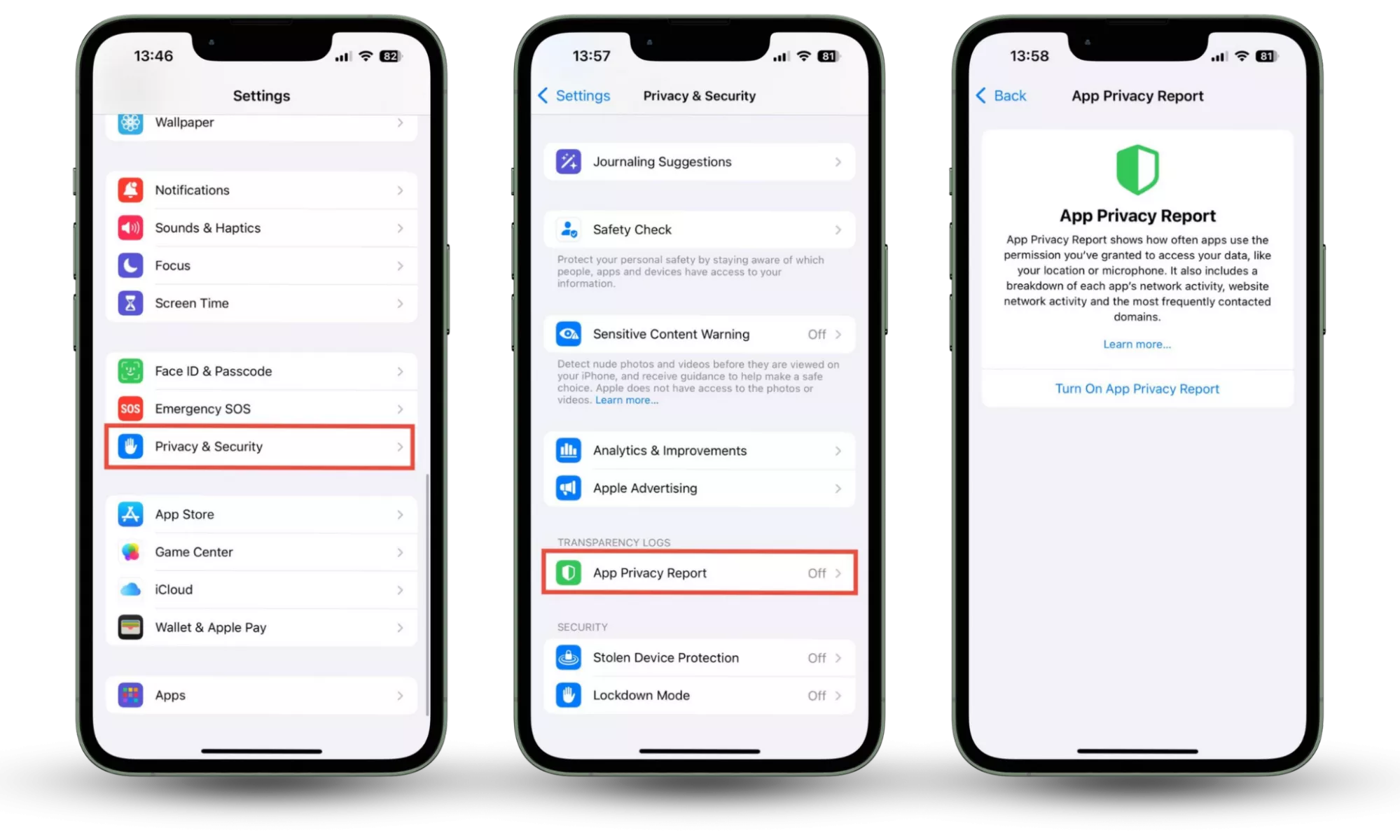
How to Manage App Permissions on iPhone
Pro tip: Sort apps by permission type and question everything. If a shopping app needs full SMS access “for order updates,” consider alternatives or contact the developer.
Proactive Steps to Lock Down Your Messages
Beyond permissions, adopt these habits:
- Switch to authenticator apps (like Google Authenticator or Authy) instead of SMS-based 2FA wherever possible.
- Use end-to-end encrypted messaging as your default — Signal remains the gold standard for privacy.
- Avoid sideloading on Android and stick to official stores.
- Read privacy policies before granting broad access, especially for new or lesser-known apps.
- Enable advanced features like Android’s Permission auto-revoke and iOS’s App Privacy Report.
- Consider a privacy-focused launcher or secondary profile on Android for sensitive activities.
A personal insight: I’ve “watched” (through aggregated trends) users shocked to discover that a single permission grant years ago still gave some forgotten app access to new messages. Regular audits aren’t paranoia — they’re digital hygiene.
The Future of Mobile Messaging Privacy
With RCS gaining traction on iOS and advanced encryption options expanding, cross-platform messaging is becoming richer and (hopefully) more secure. But convenience often races ahead of privacy. AI integration will likely push more apps toward on-device message analysis for “smart” features.
The most powerful tool remains you — informed and vigilant.
Your messages are more than strings of text. They’re intimate windows into your life. The next time a mobile app asks for access, pause and ask: Do I trust this enough to hand over the keys?
Take Action Now: Open your phone’s settings and audit your SMS/message permissions right this moment. It’ll take less than five minutes and could save you from future headaches.
What surprised you most about app permissions? Have you ever revoked a sketchy one? Drop your experiences in the comments below — let’s learn from each other.
If you found this helpful, subscribe for more in-depth privacy guides, app reviews, and security tips delivered straight to your inbox. And check out our related post: The Best Privacy-Focused Messaging Apps of 2026.
Stay safe out there — your digital life depends on it
Also Read: Hidden Permissions in Mobile Explained Safeguard Your Privacy